You are currently logged in as:
Demo User of
Demo (12621)

Recent Updates

We have a new Quickbooks interface that is fully Vista compatible. We plan to migrate all customers to the new format. Let us know at setup@EZDispatch.com when you are ready to make the change.

We now have a weight checking system that allows you to check weights for an entire load done for multiple customers.

Anytime a valid 17 digit VIN is entered into the vehicle description field, there is now a database that adds the year, make, and model of the vehicle. You can optionally choose to have it add weight. This must be done with a main admin login.

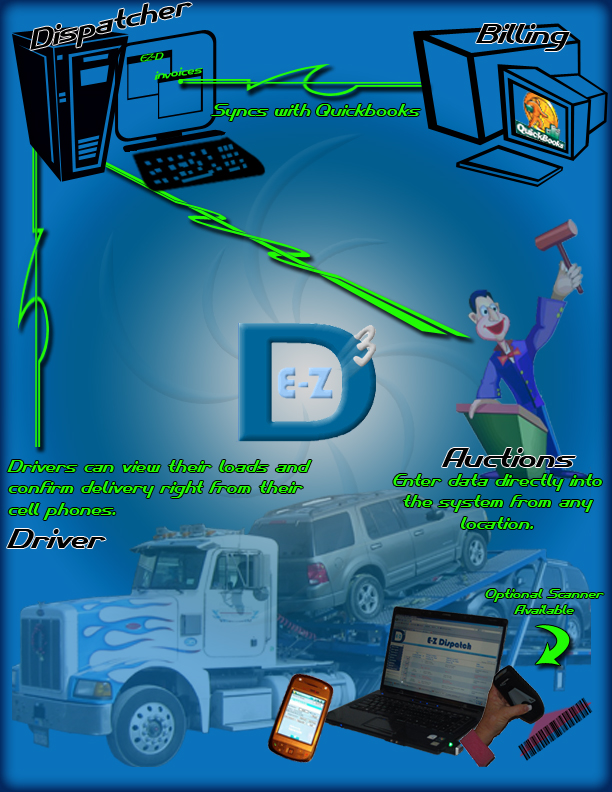
Baracoda Roadrunner Scanners are available! You can get the Baracoda 1D Roadrunner barcode scanner directly from Buy.com, or contact Dave directly (dave@ezdispatch.com or 619-889-1589) for special pricing. These barcode scanners will allow any user on a computer to scan VINS directly from the vehicle, even through the windshield! The scanner can also be set to record VINS and upload them later.

You can now send loads to other EZDispatch customers directly! Simply assign a load to another company's EZDispatch ID. You can see your company's ID when you are logged in, by looking below the navigation buttons on the left of any EZDispatch page. These loads will go into the other company's Pending Orders section.

If you hover your cursor over a driver or company name on the View Orders page, you will see their phone number.

If you hover your cursor over the number of vehicles on the View Orders page, you will see the vehicle descriptions.

There is more to come! We are currently working on testing new technology, as well as expanding EZDispatch to better serve our customers.

Important Points

You can now put an order form on your company's website for your customers to use (check out the FAQ). Orders placed this way end up in the "Pending Orders" section.

Not only do we support printing professional looking Bill of Ladings, but you can also set them to display your own terms and conditions. You will find this setting in your Admin section.

Custom forms including Bill of Ladings are available from your admin page, now your forms can have your logo as well.

You can now track not only when an order is assigned, but also when it is delivered. To enable this feature, have your main admin look in the admin section. You can even set this to only allow delivered orders to be synced with QuickBooks.

We have completed our testing on the wired OCR Pens! They are used to scan text directly from paper to the computer with no typing. They work great on most faxes, as well as Adesa gate passes. Manheim gate passes don't scan that great, but lane sheets do. We have even secured discounts on these pens for all of our customers. If you want details or wish to place an order, please contact Dave at dave@ezdispatch.com or 619-889-1589

We have added to our Frequently Asked Questions page. Including a tutorial for all soon to be customers that explains How to create a customer list using QuickBooks 2004. If you want to start with your customer list already populated with your Quickbooks customers, this is everything you need to know.

We have added pagination throughout the application. This simply means that the first 20 items display, and the rest are on other "pages" with links to those pages. This will help pages load faster, and will make information easier to digest.

Custom Logo Work $150 each and you will recieve the high quality files for your personal use. If interested e-mail Daniel Wyatt @ wyatt054@gmail.com